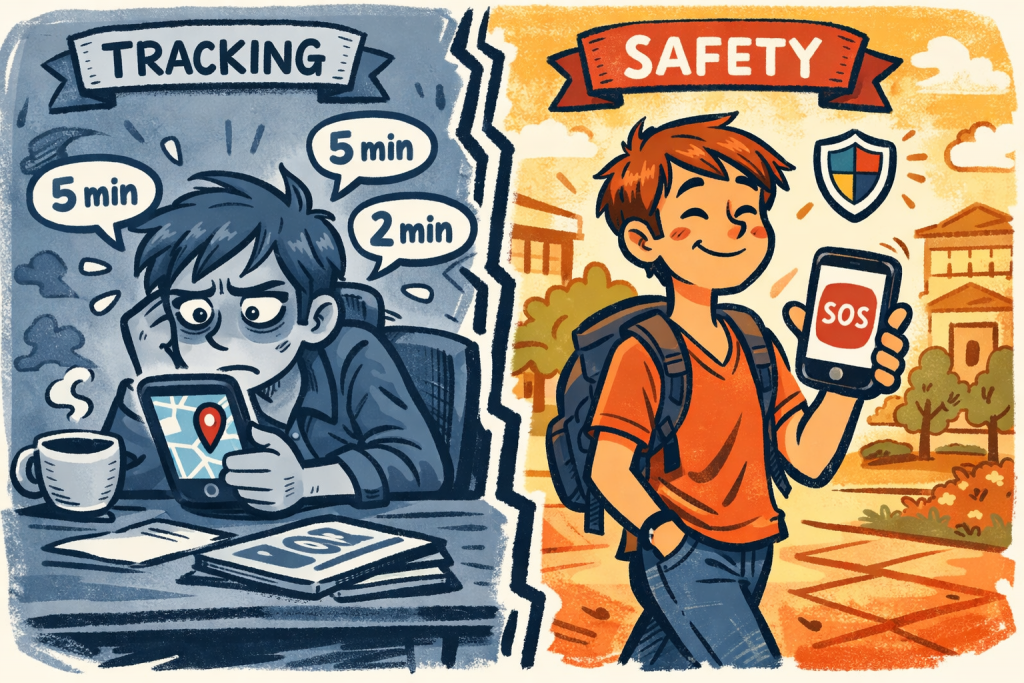
If you have a college student, you have probably had some version of this conversation.
Should we use Find My? What about Life360? My sister uses that one and says it gives her total peace of mind. But my daughter says she will delete it the moment she gets to campus. Is there something else we should be using instead?
It is one of the most common conversations families have before move-in day. And it usually ends without a clear answer because nobody has clearly explained the actual difference between the two types of apps being discussed.
So let us do that right now. Because tracking apps and safety apps are not the same thing. They are not even close to the same thing. And once you understand the difference clearly, the right choice for your family becomes much easier to make.
What a Tracking App Actually Does
A tracking app is an app whose primary function is to show you where someone is at all times.
Life360, Find My, Google Family Link and similar apps all fall into this category. They work by continuously logging the location of every person in the family circle and making that location visible to others in the group. When you open the app you can see where your student is right now. Where they were an hour ago. What route they took to get to class. When they arrived and when they left.
That is the core function. Continuous, passive, always-on location monitoring.
Some of these apps add features on top of the location tracking. Crash detection. Speed alerts. Notifications when someone arrives at or leaves a specific location. But the foundation is always the same. The app is watching. All the time. Whether anyone needs it to or not.
What a Safety App Actually Does
A safety app is an app whose primary function is to give someone a fast direct way to ask for help in an emergency.
NauNauSOS, campus safety apps with SOS buttons and similar tools fall into this category. They work by giving the user a way to send an instant alert to their trusted contacts with one tap. When a student taps SOS the people on their list are notified immediately. Before that tap happens, the app does nothing. It does not track the student. It does not log their location. It does not build a picture of their daily routine.
The core function is completely different from a tracking app. A safety app is activated by the student when they choose to activate it. A tracking app runs constantly whether the student wants it to or not.
The Five Key Differences Side by Side
Here is the comparison every family should see before move-in day.
1. Who controls the data
Tracking app: The app company and the parent account holder control the data. Location history is stored, often indefinitely, and the terms of service determine what happens to it.
Safety app: The student controls when data is shared. Nothing is collected during normal use. The only data generated is the alert sent when the student taps SOS.
2. What the student experiences
Tracking app: The student knows their location is being watched at all times. Research shows this leads students to change their behavior, self-censor their movements and in many cases push back strongly against the monitoring. A former Dean of Students described seeing a parent track their student without consent as a huge breach of privacy and trust. Even when students consent to tracking, the psychological weight of being watched constantly affects how free they feel to navigate college life independently.
Safety app: The student has a tool they control. It is there when they need it. It is invisible when they do not. Students are significantly more likely to keep and use a safety app that feels like theirs than one that feels like a leash.
3. What happens in an actual emergency
Tracking app: You can see where your student was when the emergency happened. You cannot know that the emergency is occurring unless your student contacts you separately or you happen to notice unusual movement on the map.
Safety app: Your student sends one tap and you know instantly that something is wrong right now. You do not have to notice anything. The alert comes to you. The difference between passive location data and an active emergency signal is enormous when seconds matter.
4. The relationship impact
Tracking app: Constant monitoring often creates tension in the parent-student relationship. Students feel watched and parents feel anxious every time the location looks unusual. One parent turned college administrator put it clearly. Peace of mind versus the independence your child deserves. Students who feel monitored without control tend to pull back from the relationship rather than lean into it.
Safety app: A safety app used by mutual agreement, where both parties understand what it does and when it activates, tends to strengthen the relationship rather than strain it. The student feels equipped and trusted. The parent feels connected without hovering.
5. What it costs in privacy
Tracking app: Your student’s daily routine becomes data. Where they sleep, where they eat, who they spend time with, what time they come home. That information lives on servers owned by a company whose primary business may or may not be protecting it carefully.
Safety app: No behavioral data is collected during normal use. The only information shared is what the student chooses to share at the moment they need help.
So Which One Does Your Family Actually Need?
Here is the honest answer.
If your student is comfortable with constant location sharing and you have explicitly agreed to it together as equals, a tracking app can work for some families. The key word is together. Not as a covert tool. Not as something imposed on a student who resents it. As a genuine mutual agreement with clear expectations on both sides.
But for most families, and most students, what actually works is a safety app.
Here is why. Youth generally prefer to use apps that they completely control. An app that respects that preference gets kept and used. An app that overrides it gets deleted or disabled the moment the student has a chance.
A deleted tracking app helps absolutely nobody in an emergency.
NauNauSOS gives students full control. They decide when to activate it. They choose who receives the alert. They use it on their terms and because of that they actually keep it and trust it.
The Question Worth Asking Before You Decide
Before your family picks an app, ask this one question together.
Is this tool for the student or for the parent?
A tracking app is primarily for the parent. It answers the parent’s question of where is my student right now. It does not give the student anything meaningful in a crisis.
A safety app is primarily for the student. It answers the student’s question of how do I reach the people I trust as fast as possible when something feels wrong. And that is exactly the capability that matters in a real emergency.
NauNauSOS was built to answer that question. One tap. Instant alert. The people who matter most notified immediately.
If you want a tool that actually works when it counts, that is the one your family needs.
Download NauNauSOS free today and set it up before move-in day.
NauNauSOS. Built for students. Trusted by parents.