Picture this.
Something feels wrong. Your heart is racing. You need to reach someone right now.
You unlock your phone. You scroll to find the right app. The app opens but asks you to log in. You navigate to the emergency screen. It asks you to confirm. It loads. It sends.
Fifteen seconds have passed.
In an emergency, fifteen seconds is not nothing. It is everything.
That is the problem most safety apps have that nobody talks about when they are comparing features and star ratings. The apps that do the most are often the slowest when it counts. And in a real emergency, slow is the one thing you cannot afford.
Why Speed Is the Only Feature That Matters in a Crisis
There is a lot of noise in the safety app market right now. Location sharing, geofencing, check-in timers, crime mapping, two-way chat with campus security, fake call features, audio recording. Every app has a list of things it can do.
But here is the question nobody asks when they are downloading one of these apps: how many steps does it take to actually send an alert when something goes wrong?
Because features are great in theory. In practice, when your adrenaline is spiking and your hands are shaking and you need help right now, you do not have time to navigate a multi-step process. You need the path from “something is wrong” to “someone knows” to be as short as humanly possible.
That is not an opinion. That is just how emergencies work.
Push notification systems that deliver alerts faster than traditional voice calls, email, or text messages exist precisely because every second counts during an emergency. The same principle applies to personal safety apps. The faster the alert goes out, the better the outcome.
How Other Apps Compare on Speed
Let us be honest about what most safety apps actually require when you need them.
Apps like Rave Guardian, Noonlight, and LiveSafe offer a wide range of features including professional monitoring, GPS location sharing, and campus police integration. And those features are genuinely useful in certain situations. But they all come with a tradeoff that matters in a real emergency: complexity.
Noonlight requires you to hold down a button and enter a PIN to avoid triggering a false alarm. That means under real stress, you are managing a button and remembering a code at the same time. bSafe includes an emergency SOS button that sends your location, but it also includes a follow-me feature, audio and video recording, and a fake call option, all of which add screens and decisions between you and your alert.
BSafe also requires users to set up a network of contacts and navigate to the Guardian Alert button when they need help. Again, useful features. But every additional step is a second added to your response time when you are already under pressure.
The more an app tries to do, the more it asks of you in the worst possible moment.
What NauNauSOS Does Differently
NauNauSOS was built around one question: what is the absolute fastest way for a student to reach their trusted contacts when something goes wrong?
The answer they came up with was this. One tap.
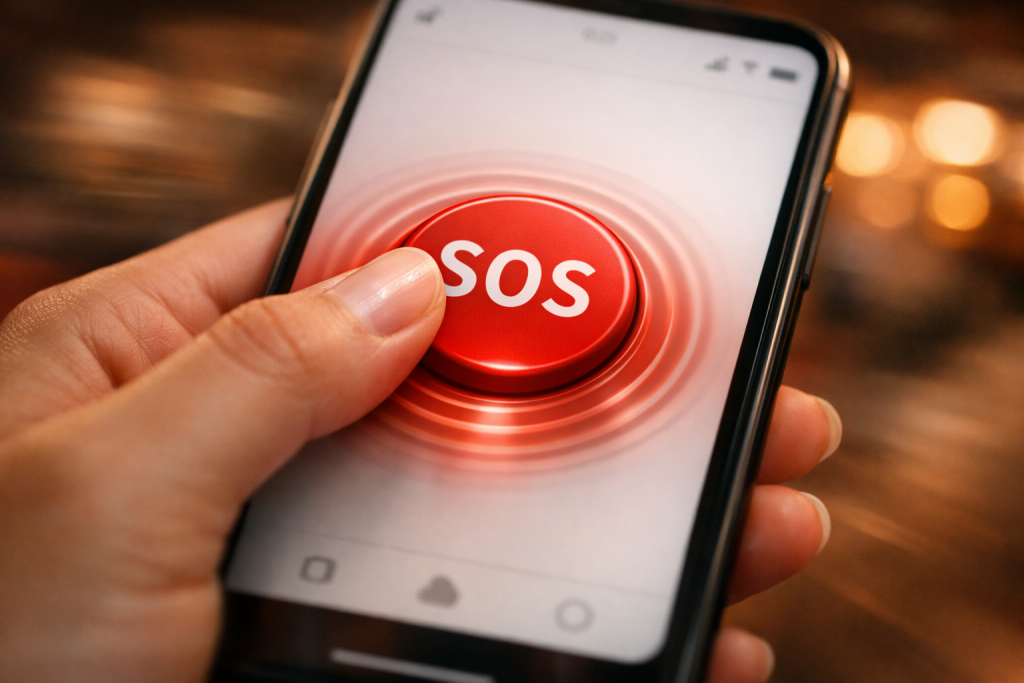
Open the app. Tap SOS. Alert sent. The people on your trusted contacts list are notified instantly. No confirmation screen. No PIN. No multi-step process. No feature menu to navigate through.
The whole experience from opening the app to alert sent takes about two seconds. Maybe three if your hands are shaking.
That is not an accident. It is a deliberate design choice made by people who understand that in an emergency, every layer of complexity you remove is a second you give back to the person who needs help.
The Tradeoff Most Apps Are Not Honest About
Here is something worth saying clearly.
The apps with the most features are not always the most useful in a real emergency. In fact, there is a case to be made that the most feature-heavy safety apps are the least reliable when it counts, precisely because of everything they ask the user to do.
Think about how you actually behave under stress. Your working memory narrows. Fine motor skills get harder. Decision-making slows down. You go back to what is simple and familiar. This is not a character flaw; it is basic human biology under pressure.
An app that works great in a calm demo on a Tuesday afternoon can completely fall apart as a tool when someone is genuinely scared and needs help fast. The apps that perform best in real emergencies are the ones with the shortest path between need and action.
NauNauSOS is built for that reality, not for the demo.
Speed Means Nothing Without Reliability
There is another side to this conversation that does not get enough attention: consistency.
The fastest alert in the world is useless if the app only works half the time. And a lot of safety apps have a reliability problem. They work great when you have full signal and a fully charged phone and you are calm enough to navigate the interface. Edge cases, which is exactly what emergencies are, are where they fall apart.
NauNauSOS is designed to be as reliable as it is fast. The app does not require you to have a perfect connection or a calm state of mind. It does not require you to remember a PIN or navigate through features. One tap is the whole instruction manual.
When your children need it at 11 PM on a campus path, it works. That is the bar. Not the demo. The real moment.
A Quick Side-by-Side Look
Here is a simple breakdown of what the alert process looks like across different types of apps and how NauNauSOS compares:
Multi-feature apps (bSafe, LiveSafe, Noonlight): Open app → navigate to emergency section → initiate alert → confirm or enter PIN → alert sent Steps: 4 to 5 Estimated time under stress: 10 to 20 seconds
Campus-integrated apps (Rave Guardian, CampusShield): Open app → locate panic button → tap → campus security notified Steps: 3 to 4 Works best when your university has a partnership with the platform
NauNauSOS: Open app → tap SOS → trusted contacts notified instantly Steps: 2 Estimated time under stress: 2 to 3 seconds
None of the other apps are bad. They were built with real intentions and they serve real purposes. But when you are comparing them purely on the question of speed, which is the only question that matters in a real emergency, NauNauSOS wins because it was designed to.
The Right App for the Right Moment
Here is a way to think about it.
Some apps are built for campus safety management. They are great tools for schools that want to coordinate with campus security, collect crime tips, and manage mass notifications. Those tools exist for a reason, and they are genuinely valuable at the institutional level.
NauNauSOS is built for a different moment entirely. It is built for the student, on the ground, in real time, who needs to reach the people they trust the fastest possible way.
Those are two different problems. And NauNauSOS is specifically, intentionally, unapologetically built for the second one.
For the Parent Who Wants to Know If Their Children Has the Right Tool
If you are comparing apps right now and trying to figure out which one to put on your student’s phone, here is the honest answer.
The right tool is the one your student will actually use in a real emergency. And the one they will use in a real emergency is the one that asks the least of them under pressure.
That is NauNauSOS. One tap. Instant alert. No confusion, no steps, no second-guessing.
Download it together, set up the trusted contacts once, and then it is done. Your student has the fastest personal emergency alert available on their phone, and you are already on their list.
That is what being prepared actually looks like.
NauNauSOS. Built for students. Trusted by parents.